



Do you need quick SEO wins?
If you’re looking for new ways to bring your website new search traffic with little effort, the best place to start is with low-competition keywords.
Here’s how to find them using Semrush:
- Select a competitor’s website and use Semrush Organic Research to find the list of their organic keyword rankings.
- Look through your list of keywords and filter the list by Keyword Difficulty% to find the low-difficulty keywords that you could target and outrank your competitors on.
- Dive deeper into each low-difficulty topic with the Keyword Magic Tool.
- Filter this new list of keywords again by Keyword Difficulty% to get a list of only the most attainable keywords.
- Repeat!
This process can work in virtually any niche, but before we walk you through the process – let’s start with a quick word on Keyword Difficulty.
What Is Keyword Difficulty?
Keyword Difficulty (a.k.a., KD%) is a Semrush metric that estimates how hard it would be to conduct SEO and rank a website at the top of the organic search results for any particular keyword.
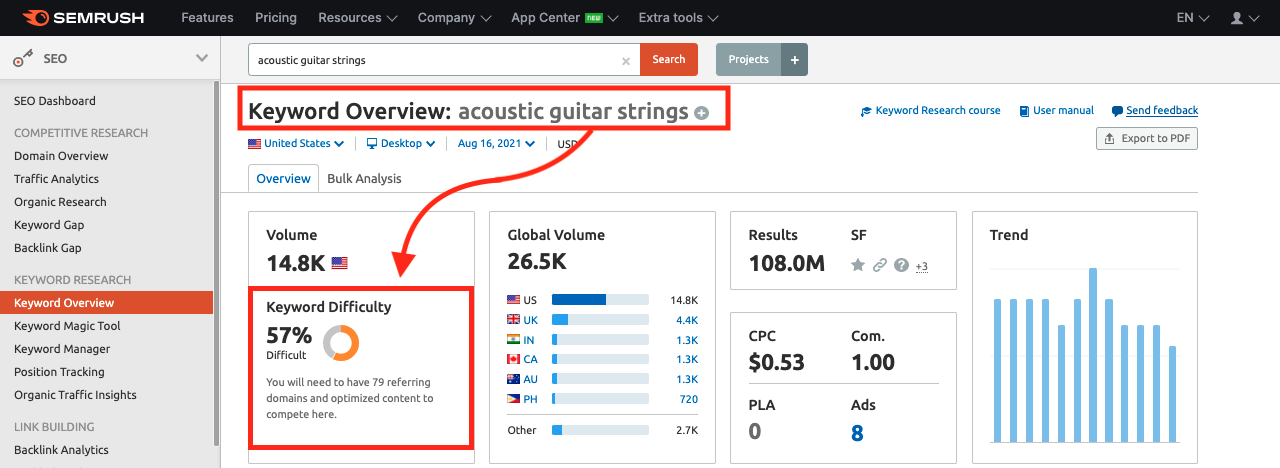 Screenshot of Semrush Keyword Overview, August 2021
The metric is a number between 0 and 100 and comes from a weighted formula. The formula takes into account the current pages ranking at the top of Google for that search term and how strong their SEO is in various aspects.
Therefore, keywords with a low KD score have less competition and are the perfect low-hanging fruit opportunities for your website to target.
Sorting by Keyword Difficulty on Semrush
All you have to do to make use of this metric on Semrush is find the column labeled KD% and either sort this column or filter the report on Semush to include a range of KD% that you want to go after.
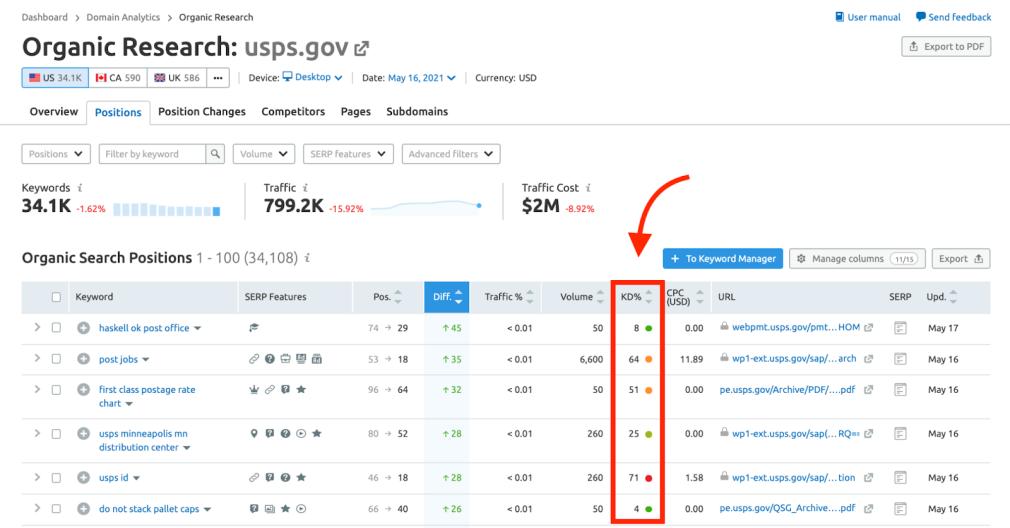 Screenshot of Semrush Organic Research, August 2021
It’s also color-coded so you can quickly scan for those friendlier green low-difficulty opportunities.
We recommend starting by filtering for target keywords that have a KD score of 49 and below, but even filtering by less than 30 or less than 15 could give you great results, depending on your niche.
When you go to use the filters for KD% in the Keyword Magic Tool, six ranges are already labeled for your convenience.
- 85-100% = Very hard
- 70-84% = Hard
- 50-69% = Difficult
- 30-49% = Possible
- 15-29% = Easy
- 0-14% = Very Easy
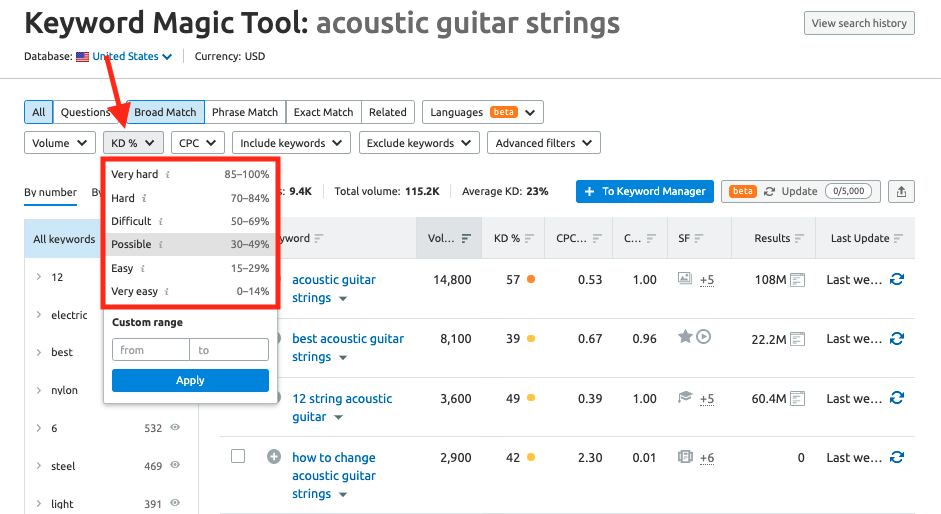 Screenshot of Semrush Keyword Magic Tool, August 2021
Then, after choosing “Very easy,” we see only the keywords with the lowest difficulty.
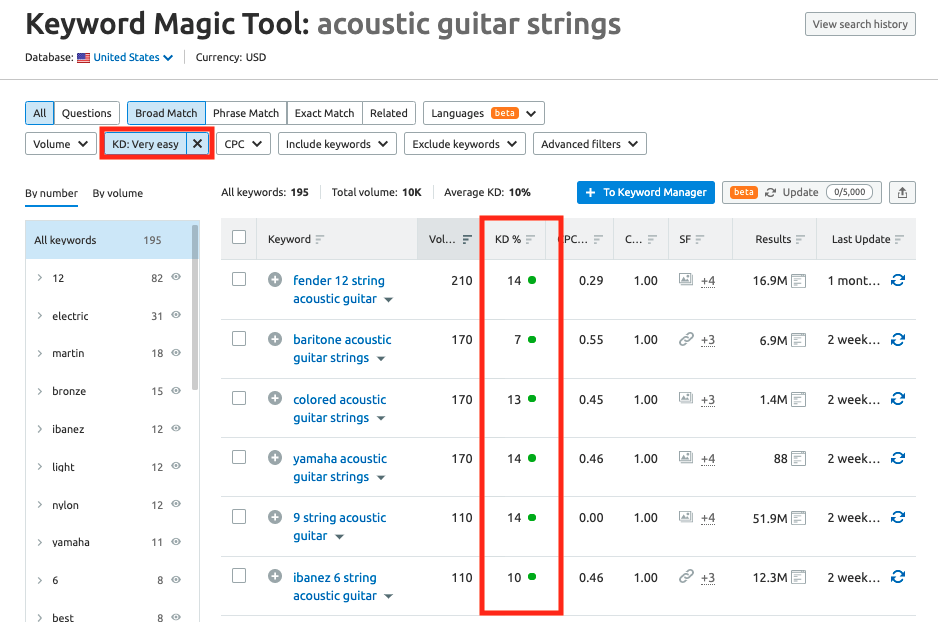 Screenshot of Semrush Keyword Magic Tool, August 2021
Taking things one step further, you could also combine a KD% filter with the Questions filter for finding easy questions you could target by providing answers on your site.
Here’s how it looks to combine the Easy filter with the Questions filter.
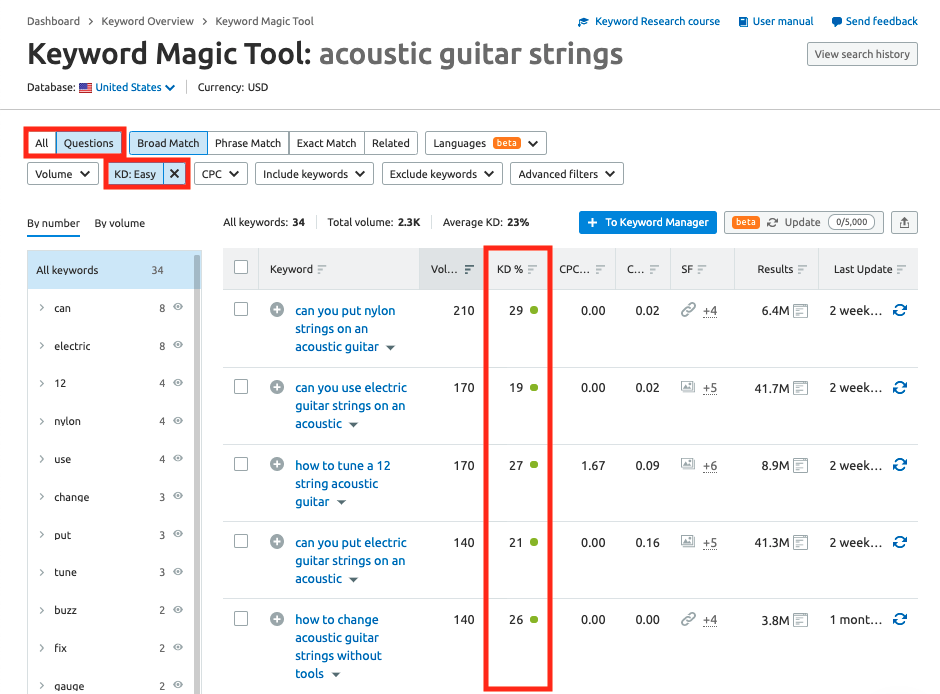 Screenshot of Semrush Keyword Magic Tool, August 2021
“Can you put nylon strings on an acoustic guitar” and “how to tune a 12 string acoustic guitar” could both be blog posts or FAQs on your site to attract traffic from these searches, for example.












Comments (0)